
Classification and Interface Changes
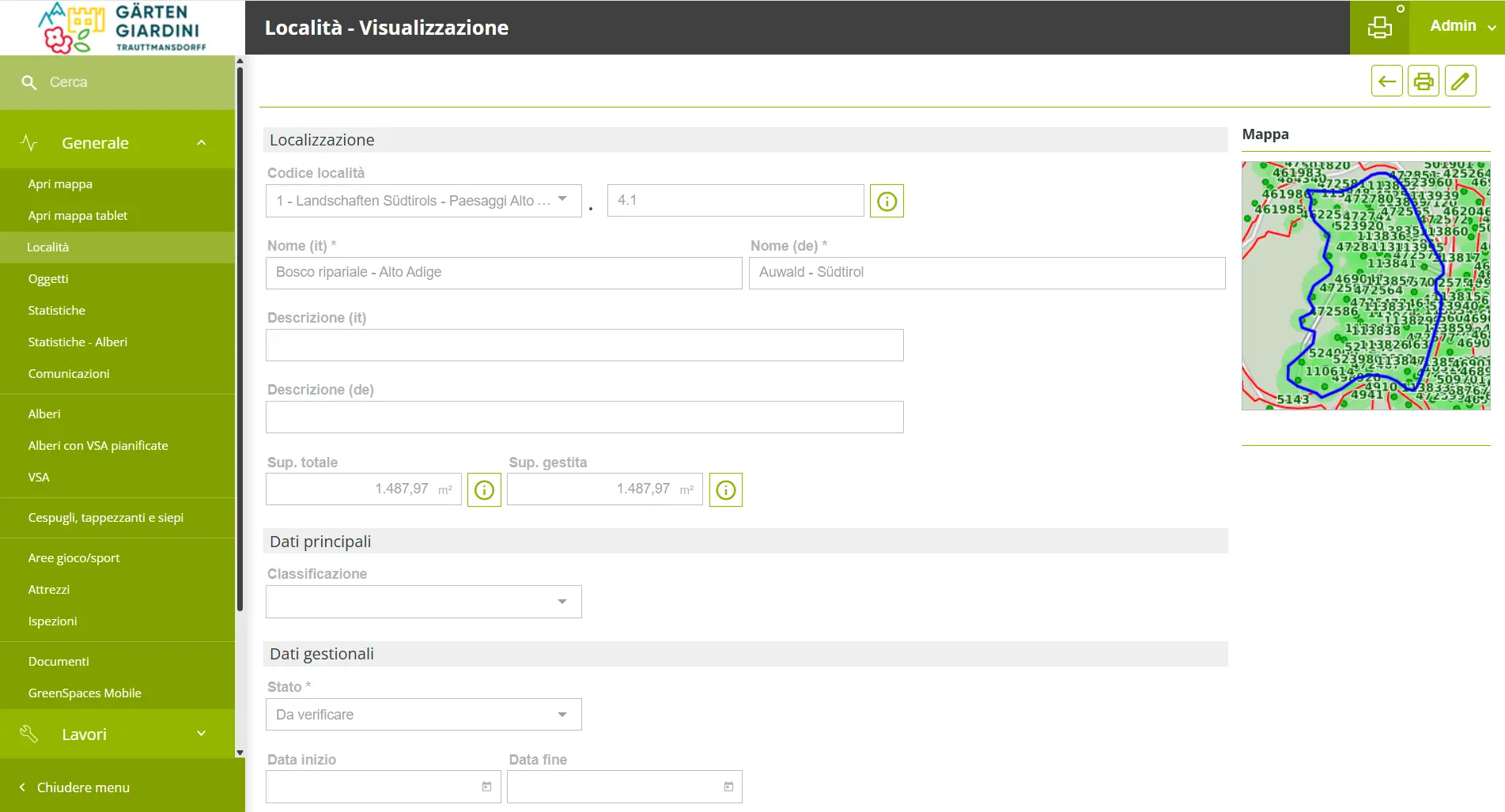
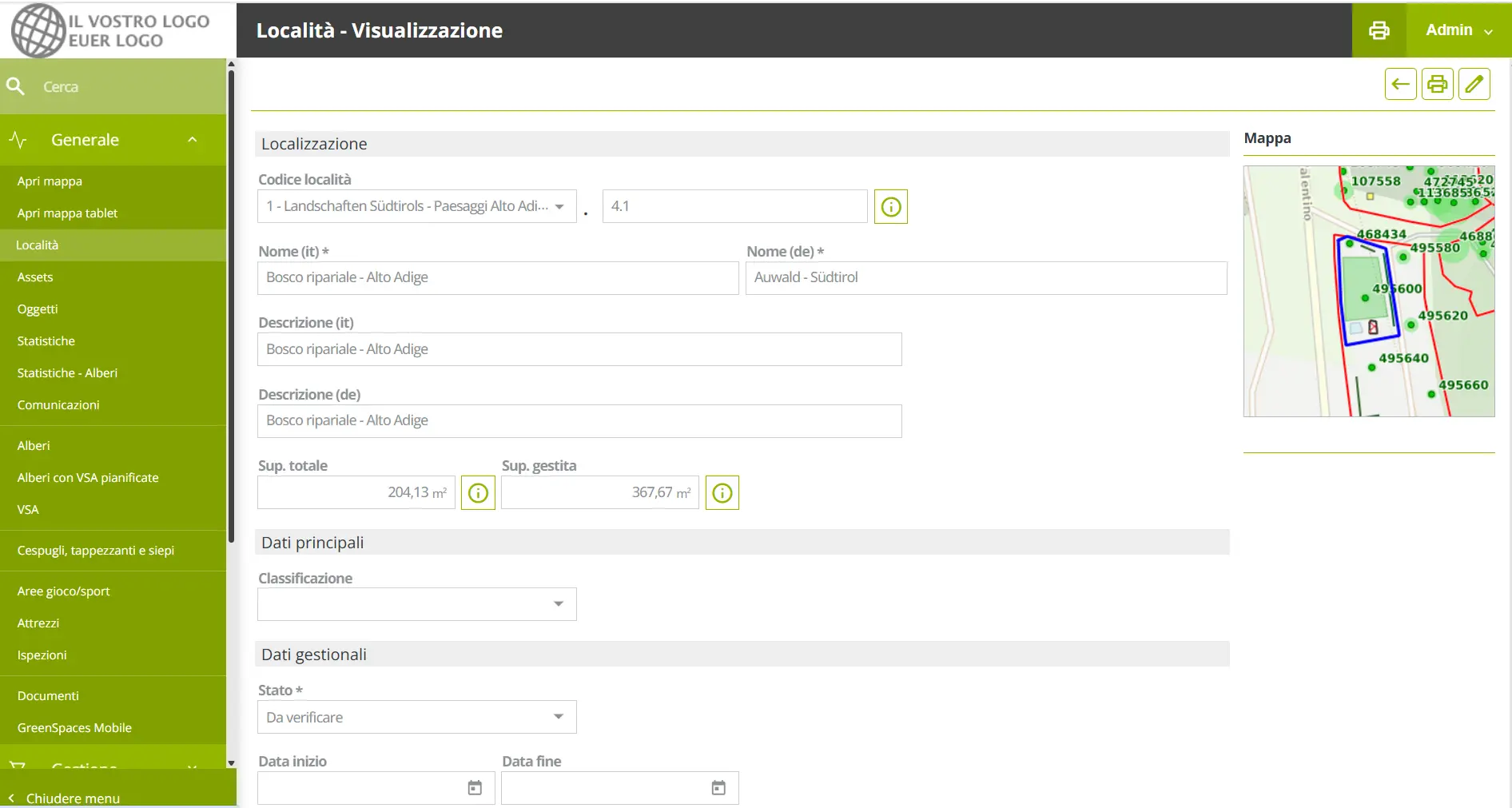
Forms in "View" more readable
Improved Readability in Forms: Forms accessed in View mode are now more user-friendly. We've enhanced the design for better contrast and legibility, ensuring data is easier on the eyes and quicker to process.
Clarity Improvement: Tree Action Renamed
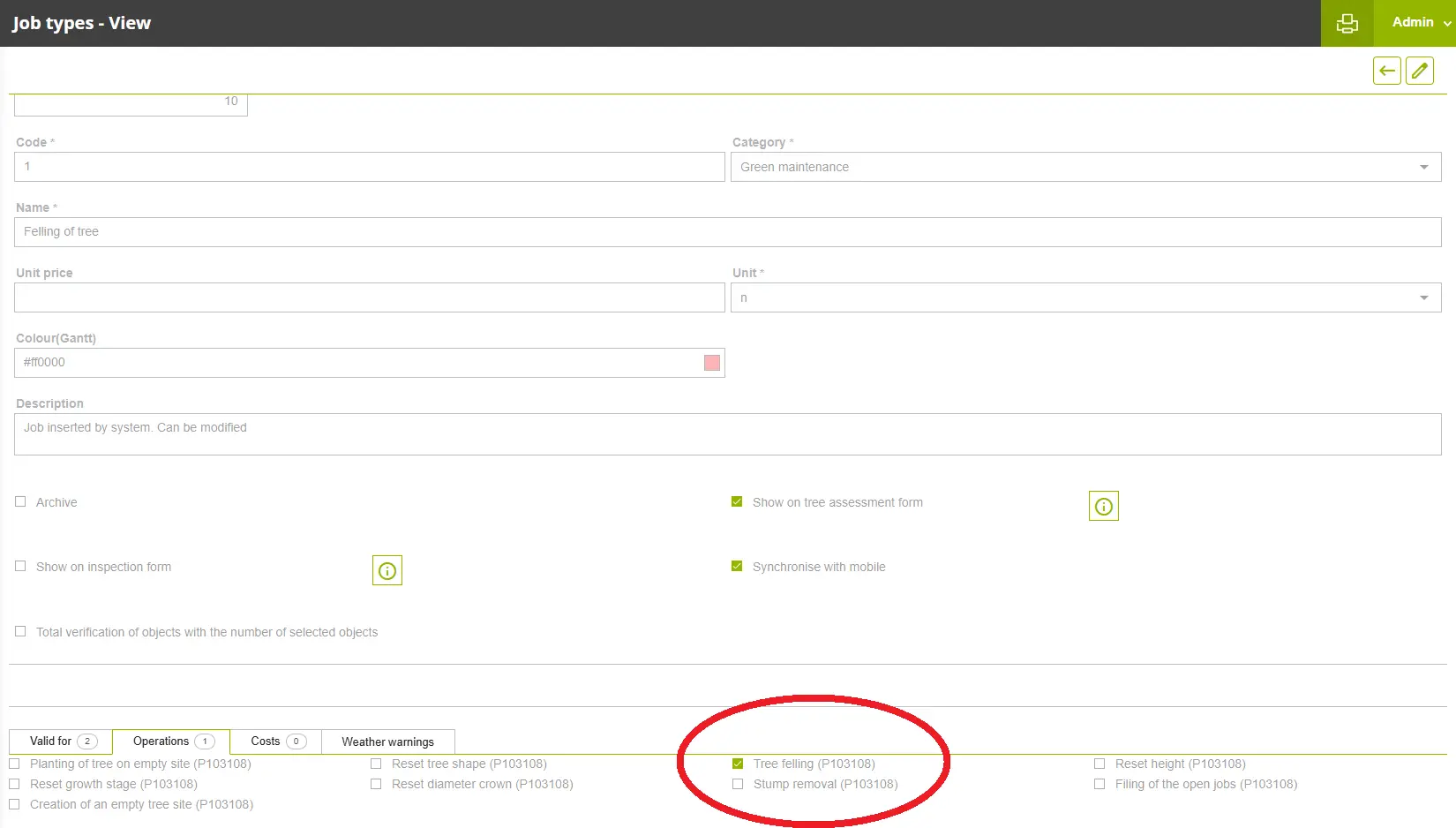
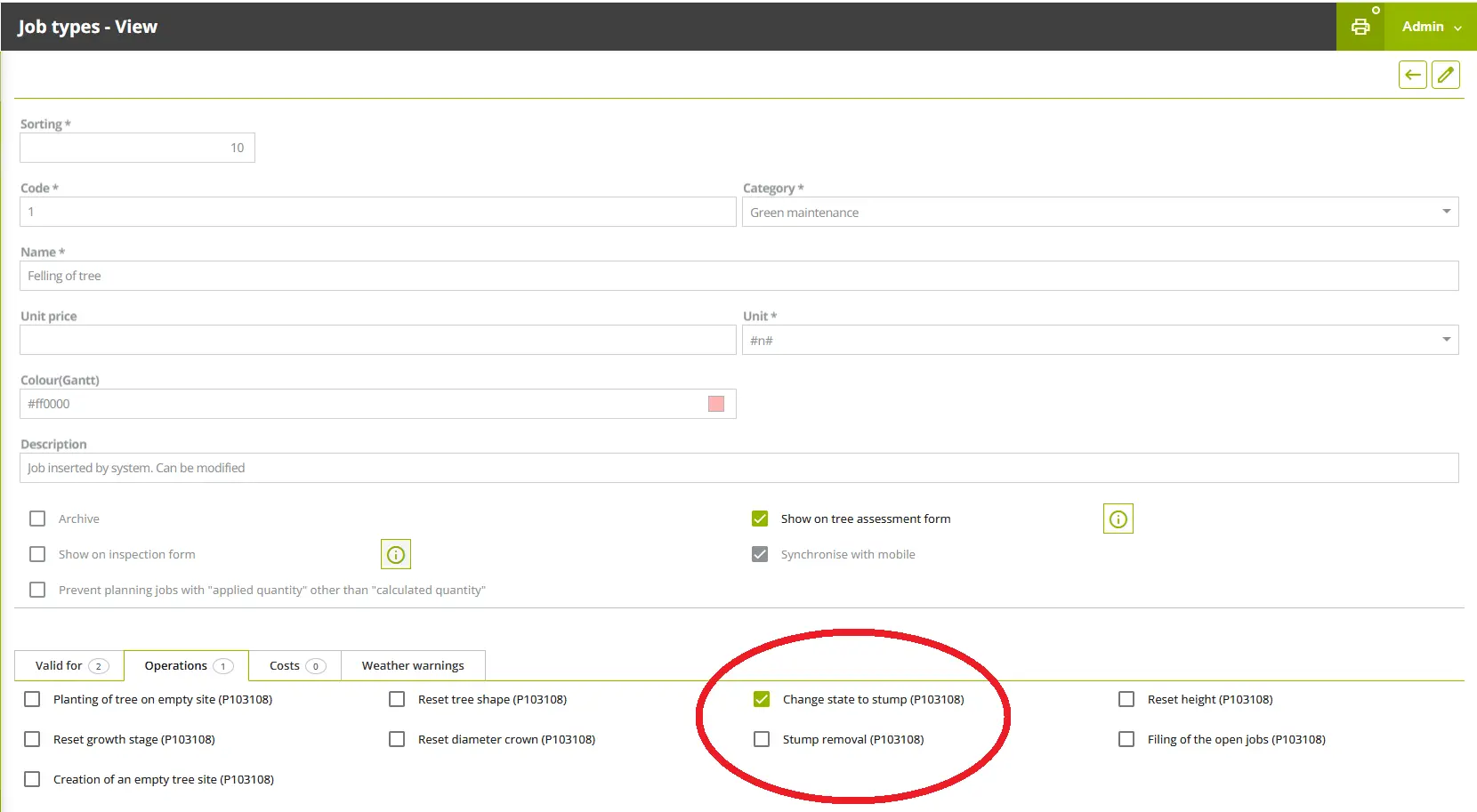
In Job type configuration form, the operation used to update a tree's status by completing the job, has been renamed for better clarity and precision.
- The operation “Tree Felling” is now “Change state to stump”.
- This makes it easier to correctly configure a Job type that applies to trees and their automatic operation outcomes.
Tree Status renamed: "Removed Tree" for Clarity
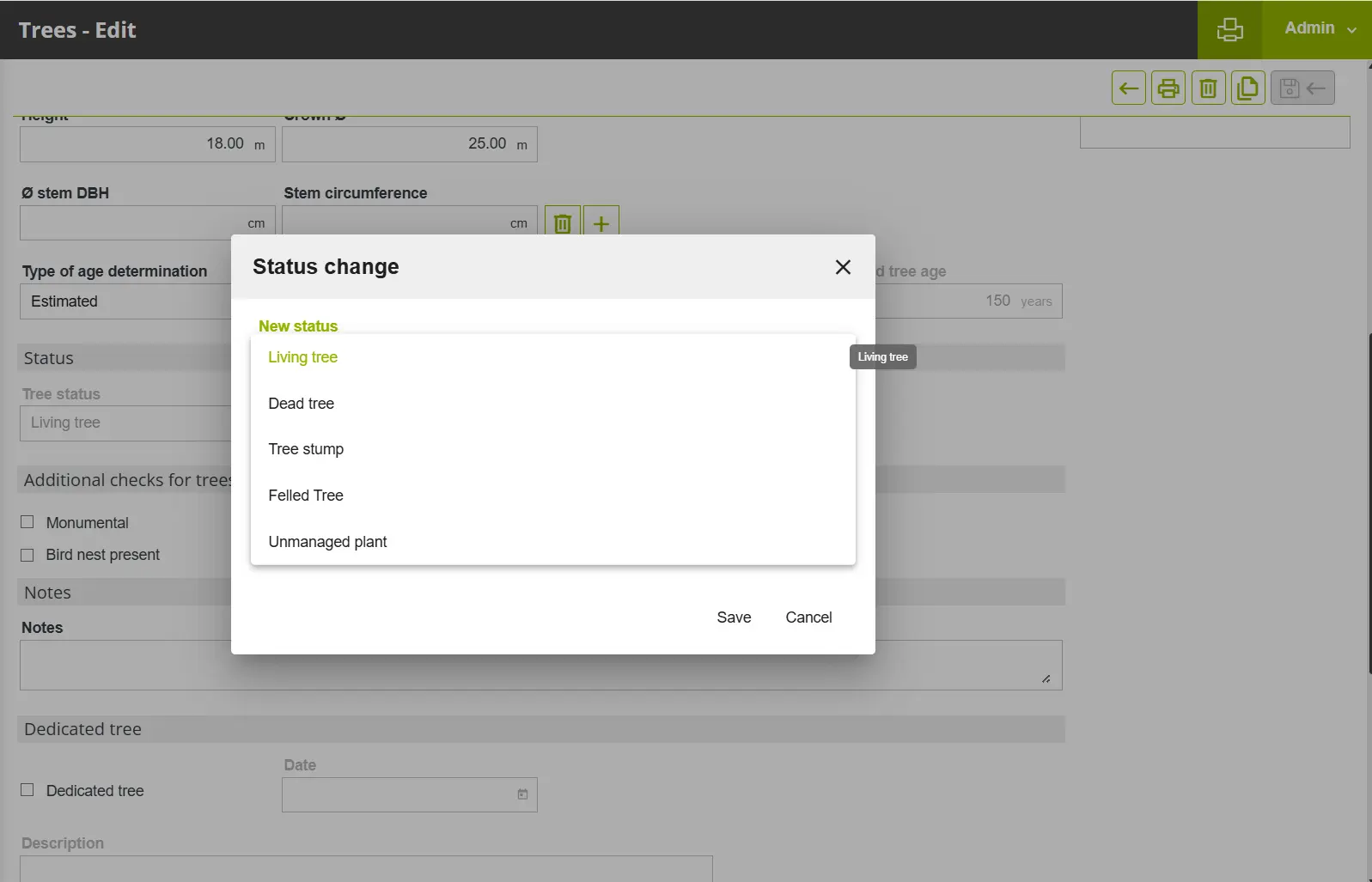
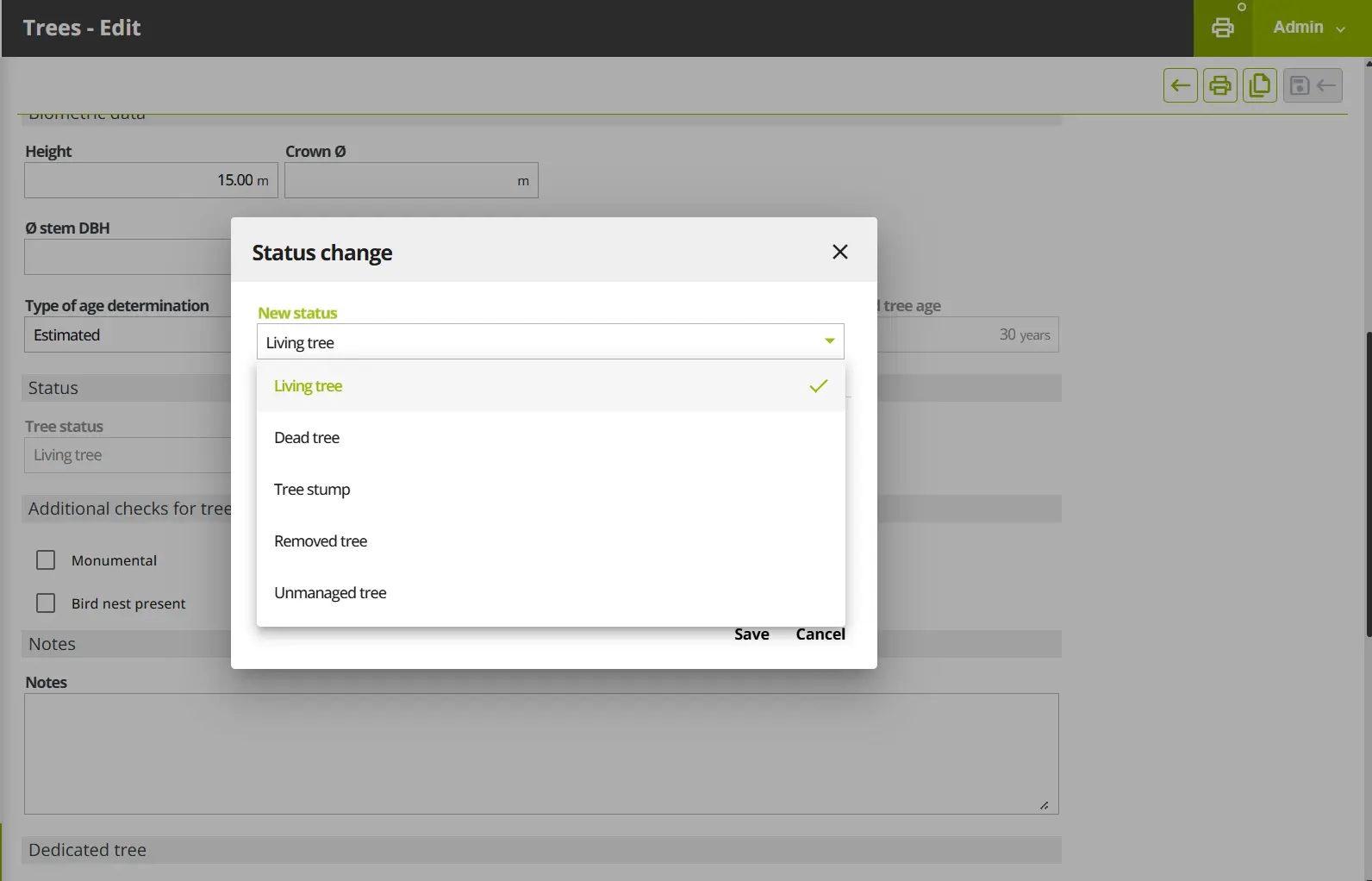
To eliminate confusion between the result of felling a tree (which can be a stump) and a totally removed tree, we have renamed a key tree status across the platform:
- The status "Felled tree" has been updated to "Removed tree."
- This change clarifies that the tree has been entirely taken away.
This new label is now consistent in forms, filters, data exports, history, and job operations, ensuring easier data interpretation.
Note: The map layer and statistics will continue to group "Removed tree" under the existing "Felled Trees" label for operational continuity.
Quality Improvements
Core Technical Upgrades (Frontend)
We have completed a major infrastructure update to our application's frontend to enhance security, improve stability, and ensure the platform is ready for future feature development.
Framework Upgrade: The core application framework has been updated. This significant upgrade brings performance improvements, better code security, and access to the latest development tools.
Dependency Modernization: Key libraries and dependencies, including the form management utility Formly, have been updated to their latest versions. This minimizes technical debt, resolves potential security vulnerabilities, and improves overall reliability.
These technical steps ensure the application remains stable, performs optimally, and can be efficiently maintained and expanded in the future.
Core Technical Upgrades (Backend)
We have executed a major backend update to modernize the platform's core technologies:
Core Language Upgrade: The application's core language has been upgraded to the latest version. This significant change enhances security, delivers notable performance increases (making the application faster), and ensures long-term stability and compatibility.
Framework Modernization: Key backend libraries have been updated to support latest code languages available. This provides a more robust and efficient foundation for all backend processes, including data handling and business logic.
These upgrades are crucial for optimizing performance, securing your data, and preparing the platform for future innovations.
Improved Safety Check for Job Quantities (important for TREE FELLING)
We've improved the validation logic for job planning to prevent errors, especially in job types involving sensitive operations like tree felling.
New Checkbox Label: The control checkbox for job types has been renamed to “Prevent planning job where applied quantity is different from calculated quantity“ for clarity.
Safety Lock: When this option is selected for a job type, the system now prevents saving or planning the job if the manual 'applied quantity' doesn't match the automatic 'calculated quantity' (based on the selected objects/trees).
Clearer Error: The system now displays a clear error message.
This ensures maximum clarity and reduces the risk of incorrect job planning.
Consistent Numerical Sorting Across Lists
We've standardized the sorting behavior for several key lists to ensure a consistent, intuitive experience when ordering by numerical identifiers.
- The "Tree Assessments," "Play Equipment," and "Inspections" lists now use the same smart, numeric sorting logic as the main "Trees List."
- When sorting by Tree Number or Equipment Number, records will now appear in correct numerical order (e.g., 1, 2, 10, 11, 100), eliminating inconsistent alphanumeric sorting.
Fixes
Rejected tree assessment is not modifiable by author
Resolved an issue which caused in specific cases with an active workflow for tree assessment validation, a rejected tree assessment was not modifiable by the author.
Picture not visible after shooting on mobile
Solved the issue which caused that when a picture was taken with the mobile app, only a “broken image” icon was displayed. (This issue didn’t cause any data loss, all taken pictures were correctly transferred to GreenSpaces Web at synchronisation).
Growth stage not taken correctly into account in tree statistics printout
Solved the issue which caused that the “growth stage” was not taken correctly into account in tree statistics printout. Now the printout calculates the tree repartition correctly based on the registered growth stage.
Jobs have no geometry when entered simultaneously with tree creation and following VTA
When creating a new tree via mobile app, then continuing directly to a first tree assessment and from there creating a job, synchronizing and validating, the job did not have the correct geometry of the tree. This issue was solved.
Proposed jobs disappear from the tree assessment form
The issue which caused the proposed jobs to “disappear” from an unsynchronised tree assessment form in the Mobile App was solved. This issue did not cause any data loss, all the proposed jobs were correctly transferred to GreenSpaces Web at synchronisation.
The filters retain the entered site in the previous search even if it's emptied
You can now properly clear fields (e.g., Site) in filters and re-run your search. The system will no longer "remember" the previous value of the cleared field.
Tree form: tree photo visible in the form, not in the images tab (only when opening the form from the site > tab Trees)
Only GreenSpaces TREES: Fixed an issue where photos visible on the main tree form were incorrectly missing from the "Images" tab when accessing the form via Site > Trees. All attached photos are now consistently displayed in both locations.
SSO authentication doesn't work on iOS
Single Sign-On (SSO) is now fully functional on iOS. We have fixed the bug that previously blocked users from authenticating on iPhone and iPad.
Change of user data forces password to be changed (if password complexity is configured)
Fixed an issue in environments with mandatory password complexity. We've resolved a bug that forced password changes when an administrator updated a user's details. You can now save changes to non-password fields without the system incorrectly demanding a password reset.
Company filter malfunction
The filter by company in the Inspections menu now works correctly, showing only records relating to sites assigned to the selected company.
Visibility of users on GreenSpaces Cloud Trees
The 'Controller' field in the creation of a new tree assessment now correctly displays users according to their domain, avoiding the selection of controllers from external domains.
Filter site doesn't load the list of sites after having opened a form
Fixed a problem that prevented the 'Sites' filter from working properly after displaying or editing a single site form. It is now possible to return to the list and immediately search for a new site without the filter getting stuck.